
IT Flashcards for Beginners: A Comprehensive Guide to Mastering IT Concepts
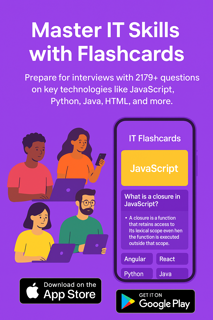
Information Technology (IT) is a broad and dynamic field that encompasses everything from software development to networking, cybersecurity, and data management. For beginners, the world of IT can be overwhelming due to the sheer volume of technical terms, concepts, and tools that need to be understood. However, learning IT concepts doesn’t have to be daunting. One of the best ways to tackle this challenge is through the use of flashcards.
Flashcards are an excellent tool for breaking down complex IT topics into smaller, manageable chunks. By repeatedly reviewing these concepts, beginners can improve retention and understanding of IT fundamentals. In this article, we will explore how IT flashcards can help you master key IT concepts, the benefits of using them, and tips for effective learning.
Why Use Flashcards for IT Learning?
Flashcards have long been a popular study aid because of their effectiveness in improving memory retention. When it comes to IT, flashcards are especially beneficial for the following reasons:
Active Recall: Flashcards help reinforce active recall, a learning technique where you actively retrieve information from memory rather than passively reading it. This strengthens memory connections and helps make the information more accessible when needed.
Efficient Review: With flashcards, you can review important concepts quickly. IT is full of definitions, protocols, and commands that can easily be forgotten. Flashcards allow you to review these terms in small sessions, making it easier to refresh your memory regularly.
Customizable Learning: Flashcards allow you to tailor your study sessions to your personal needs. Whether you're struggling with networking concepts or need to refresh your understanding of programming languages, you can create flashcards that focus on the areas you find most challenging.
Portable Learning: Flashcards are portable, meaning you can study IT concepts anywhere. Whether you're waiting for a bus, during a lunch break, or relaxing at home, you can easily carry a set of flashcards with you and make use of any free time for review.
Key IT Concepts to Include in Your Flashcards
Information Technology is a broad field that includes various subfields. Below are some of the most common IT concepts that should be included in flashcards for beginners. These topics will help you build a strong foundation in IT.
Basic Computer Hardware:
Flashcard Prompt: What is the difference between RAM and ROM?
Answer: RAM (Random Access Memory) is temporary storage used by the computer to store data while it’s running, while ROM (Read-Only Memory) is permanent storage used to store firmware or system instructions.
Flashcard Prompt: What is the function of the CPU?
Answer: The CPU (Central Processing Unit) is the "brain" of the computer. It performs calculations, executes instructions, and processes data.
Operating Systems:
Flashcard Prompt: What is an operating system?
Answer: An operating system is software that manages hardware resources and provides services for computer programs. Examples include Windows, macOS, and Linux.
Flashcard Prompt: What is the purpose of a file system in an operating system?
Answer: A file system organizes and manages files on a storage device, allowing the operating system to store, retrieve, and manipulate data.
Networking Basics:
Flashcard Prompt: What is an IP address?
Answer: An IP (Internet Protocol) address is a unique identifier assigned to devices connected to a network. It helps devices communicate with each other over the internet.
Flashcard Prompt: What is the difference between IPv4 and IPv6?
Answer: IPv4 is a 32-bit addressing scheme, while IPv6 uses 128-bit addresses. IPv6 is designed to address the limitations of IPv4, particularly in terms of available address space.
Cybersecurity Concepts:
Flashcard Prompt: What is encryption?
Answer: Encryption is the process of converting data into a code to prevent unauthorized access. It ensures that information remains secure during transmission.
Flashcard Prompt: What is a firewall?
Answer: A firewall is a security system designed to protect a network by monitoring and controlling incoming and outgoing traffic based on predetermined security rules.
Databases and SQL:
Flashcard Prompt: What is a relational database?
Answer: A relational database is a type of database that stores data in tables and uses relationships between the tables to manage data efficiently. Examples include MySQL and PostgreSQL.
Flashcard Prompt: What is SQL?
Answer: SQL (Structured Query Language) is a programming language used to manage and manipulate relational databases. It allows you to create, update, and query data.
Programming Languages:
Flashcard Prompt: What is the difference between compiled and interpreted languages?
Answer: Compiled languages are converted into machine code before execution (e.g., C, C++), while interpreted languages are executed line by line by an interpreter (e.g., Python, JavaScript).
Flashcard Prompt: What is object-oriented programming (OOP)?
Answer: OOP is a programming paradigm based on the concept of objects, which are instances of classes. It emphasizes encapsulation, inheritance, polymorphism, and abstraction.
Cloud Computing:
Flashcard Prompt: What is cloud computing?
Answer: Cloud computing refers to the delivery of computing services (e.g., storage, processing, networking) over the internet, allowing users to access resources without owning physical hardware.
Flashcard Prompt: What is SaaS?
Answer: SaaS (Software as a Service) is a cloud computing model where applications are hosted and provided to users via the internet. Examples include Google Docs and Dropbox.
How to Use IT Flashcards Effectively
To get the most out of your IT flashcards, follow these tips to improve your learning:
Practice Regularly: Consistent practice is key to retaining IT knowledge. Set aside time each day to review your flashcards, focusing on different topics to ensure balanced learning.
Use Spaced Repetition: Spaced repetition is a technique where you review flashcards at increasing intervals. This helps reinforce long-term retention of information and prevents cramming.
Personalize Your Flashcards: Tailor your flashcards to suit your learning style. Add images, diagrams, or examples that help clarify complex concepts, making them easier to understand.
Group Study: Flashcards are great for group study. Quizzing each other with flashcards helps deepen understanding, and discussing challenging concepts allows for different perspectives.
Test Yourself: To make the most out of your flashcards, test yourself regularly. Cover the answers and try to recall the information. This will help reinforce the material.
Conclusion
Learning IT concepts may seem like a daunting task for beginners, but with the help of flashcards, you can simplify the process. Flashcards provide a versatile, engaging, and efficient way to master key IT terms and concepts. By focusing on fundamental topics like hardware, operating systems, networking, programming languages, and cybersecurity, you can build a solid foundation in IT.
Flashcards also encourage active learning and memory retention, ensuring that you’ll have the knowledge you need for exams or real-world application. Whether you’re studying for IT certifications or just looking to boost your tech skills, IT flashcards are an excellent tool to have in your learning arsenal.
Start using flashcards today, and watch your IT knowledge grow!
0 comments
Be the first to comment!
This post is waiting for your feedback.
Share your thoughts and join the conversation.