
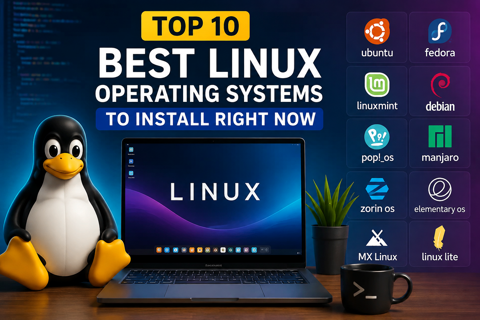
Here is our curated list of the top 10 best Linux operating systems, broken down by what they do best.
1. Linux Mint: Best for Beginners and Windows Switchers
If you are moving away from Windows for the first time, Linux Mint is widely considered the safest and most comfortable starting point.
Why it shines: Its flagship Cinnamon desktop layout mimics the traditional Windows layout closely—complete with a bottom taskbar and a familiar start menu. It also comes with media codecs pre-installed, meaning your MP3s and videos play right out of the box.
Best for: Everyday users, office workers, and absolute beginners.
2. Ubuntu: The Most Popular Standard
Ubuntu is practically a household name in the tech community. Backed by Canonical, it serves as the foundation for countless other operating systems.
Why it shines: Because of its massive global popularity, almost every piece of Linux-compatible software (from Chrome to Zoom and Steam) supports Ubuntu first. If you run into an error, a quick search online will almost always yield a solution on forums.
Best for: Anyone wanting a dependable, well-documented system with vast community support.
3. Fedora: Best for Developers and Tech Enthusiasts
Sponsored heavily by Red Hat, Fedora sits at the sweet spot between cutting-edge software features and rock-solid system stability.
Why it shines: Fedora gives developers access to the latest toolchains, kernels, and programming stacks without breaking the core system. It is clean, modern, and implements vanilla GNOME interfaces brilliantly.
Best for: Software engineers, computer science students, and tech hobbyists.
4. Zorin OS: The Ultimate Mac and Windows Hybrid
If you love clean, polished aesthetics that rival macOS or Windows 11, Zorin OS is a visual masterpiece.
Why it shines: Zorin OS is designed to bridge the psychological gap for switchers. The Pro version even mimics the exact layout of Windows 11 or macOS, making the transition virtually seamless. Underneath the gorgeous UI lies a robust Ubuntu core.
Best for: Designers, creatives, and users who prioritize visual elegance.
5. Pop!_OS: Best for Creators, Writers, and Gamers
Developed by system76—a company that builds hardware for developers and creators—Pop!_OS is built for pure productivity.
Why it shines: It features an intuitive window-tiling management system that lets you organize apps on your screen using just your keyboard. It also has specialized ISO downloads explicitly built for NVIDIA graphics cards, making GPU setup painless.
Best for: Writers, coders, and power users who want efficient multitasking.
6. Arch Linux: Best for Advanced Power Users
Ah, Arch Linux. Mentioning Arch in a tech room will immediately earn you respect (or a knowing smile) from hardcore system administrators.
Why it shines: Arch follows a "Do-It-Yourself" philosophy. You install only what you want from the ground up, resulting in a system with zero bloat. Combined with its rolling-release model, you never have to reinstall the OS; it constantly updates piece by piece.
Best for: Advanced users who want total control over every line of code on their machine.
7. Manjaro: Arch Power Without the Headache
If you want the benefits of Arch Linux (like access to the massive Arch User Repository) but don’t want to spend hours configuring it via a command-line installer, Manjaro is your answer.
Why it shines: Manjaro takes the Arch core, pre-packages it with user-friendly desktop environments (like KDE Plasma or XFCE), and handles hardware auto-detection smoothly out of the box.
Best for: Intermediate users looking to graduate past Ubuntu-based systems.
8. Debian: The Rock-Solid Foundation
Debian is one of the oldest and most respected pillars of the Linux community. In fact, Ubuntu and Mint are both built on top of Debian's architecture.
Why it shines: Debian is legendary for its stability. Packages are heavily tested over long periods before hitting the stable branch, meaning it almost never crashes.
Best for: Production servers, home labs, and users who value absolute reliability above getting the newest features.
9. Lubuntu: Best for Reviving Old Laptops
Got an old, dusty laptop sitting in a drawer with 2GB or 4GB of RAM that struggles to run modern Windows? Lubuntu will make it feel brand new.
Why it shines: Lubuntu uses the ultra-lightweight LXQt desktop environment and minimal system resources. It consumes a fraction of the RAM that Windows or heavy Linux desktops use while keeping full access to the Ubuntu software repository.
Best for: Breathing new life into older hardware.
10. Kali Linux: Best for Cybersecurity and Ethical Hacking
Kali Linux is a specialized tool. It isn't built to be a daily driver for writing emails or typing documents, but it is the world standard for penetration testing.
Why it shines: It comes pre-loaded with hundreds of auditing, network analysis, and digital forensics tools straight out of the box.
Best for: Cybersecurity professionals, IT security students, and ethical hackers.
Final Verdict: Which One Should You Download?
If you are stepping into the Linux world today, download Linux Mint or Ubuntu onto a flash drive and test it out. If you are a developer looking for modern tools, grab Fedora. And if you love hardware tinkering and total customization, dive headfirst into Arch.
Which Linux distribution are you running on your machine? Let us know in the comments below!
check Linux vs. Windows: Which Operating System is Actually Better for You?
reviewhub kenyaさんをフォローして最新の投稿をチェックしよう!
0 件のコメント
この投稿にコメントしよう!
この投稿にはまだコメントがありません。
ぜひあなたの声を聞かせてください。